Ace every call,
unseen.
Trapotato listens, transcribes, and feeds you real-time answers and code hints — through an overlay that never shows on your screen share.
10-minute free trial · no card required · bring your own AI keys
They share their screen.
You share nothing.
Trapotato runs as a frameless, always-on-top overlay that is invisible to screen capture. Flip a single toggle and it vanishes from screen shares, recordings, the taskbar, and the system tray — leaving only the answers on your side of the glass.
Off your screen share
Content-protected against screen sharing and recording — Zoom, Meet, Teams, and OBS capture an empty desktop.
Hidden from the system
No taskbar button, no tray icon, no Alt-Tab entry. In Task Manager it quietly appears as “Settings.”
Yours alone
Press Ctrl+B to summon or hide it instantly. Ctrl+Shift+B makes it click-through so it never gets in your way.
no overlay detected
Everything you need, nothing that gives you away.
Stealth overlay
A frameless, always-on-top, content-protected window that never shows on screen shares or recordings — and stays off the taskbar, tray, and Alt-Tab.
Real-time AI answers
It hears the question and drafts your response, code, or clarification as the conversation happens — answers stream in live.
Live transcription
System audio and your microphone are transcribed continuously through your own provider, so nothing in the call is missed.
Screen capture & analysis
Snapshot the whole screen or a region, OCR the on-screen problem, and get a complete, ready-to-use answer in the overlay.
Bring your own keys
Use OpenAI, Claude, Gemini, Groq, or local Ollama. Your API keys are stored on your device and never touch our servers.
Local history & notes
Post-meeting summaries, notes, and a searchable transcript history — all stored locally on your machine.
Seven actions. Zero hunting for a button.
Every move is a global shortcut — they fire even while the window is hidden. Tap a number and the right kind of help appears in the overlay.
What to Answer
Get the strongest answer to the question on the table.
Clarify
Turn a vague or ambiguous prompt into a sharp follow-up.
Recap / Brainstorm
Summarize the thread so far or spin up fresh ideas.
Follow Up
Draft the natural next question to keep momentum.
Answer / Record
Capture audio and answer the live question end-to-end.
Get Code Hint
Produce working code for the problem being discussed.
Brainstorm Approaches
Lay out multiple ways to solve the problem at hand.
Your models. Your keys. Your machine.
Plug in the providers you already pay for. Keys are stored locally and never pass through our servers — only your license is checked online. Run fully offline with Ollama if you prefer.
AI / LLM
Settings → AI ProvidersTranscription
Settings → AudioWhat happens on your call, stays on your machine.
Local-first
Transcripts, notes, and history live on your machine — not in a cloud we control.
Keys stay home
Your AI and transcription keys are never uploaded or proxied. Only the license check goes online.
Fail-closed licensing
Re-verified twice on startup and every 5 minutes. If it can't confirm your license, it locks.
Up and running in four steps
Install & activate
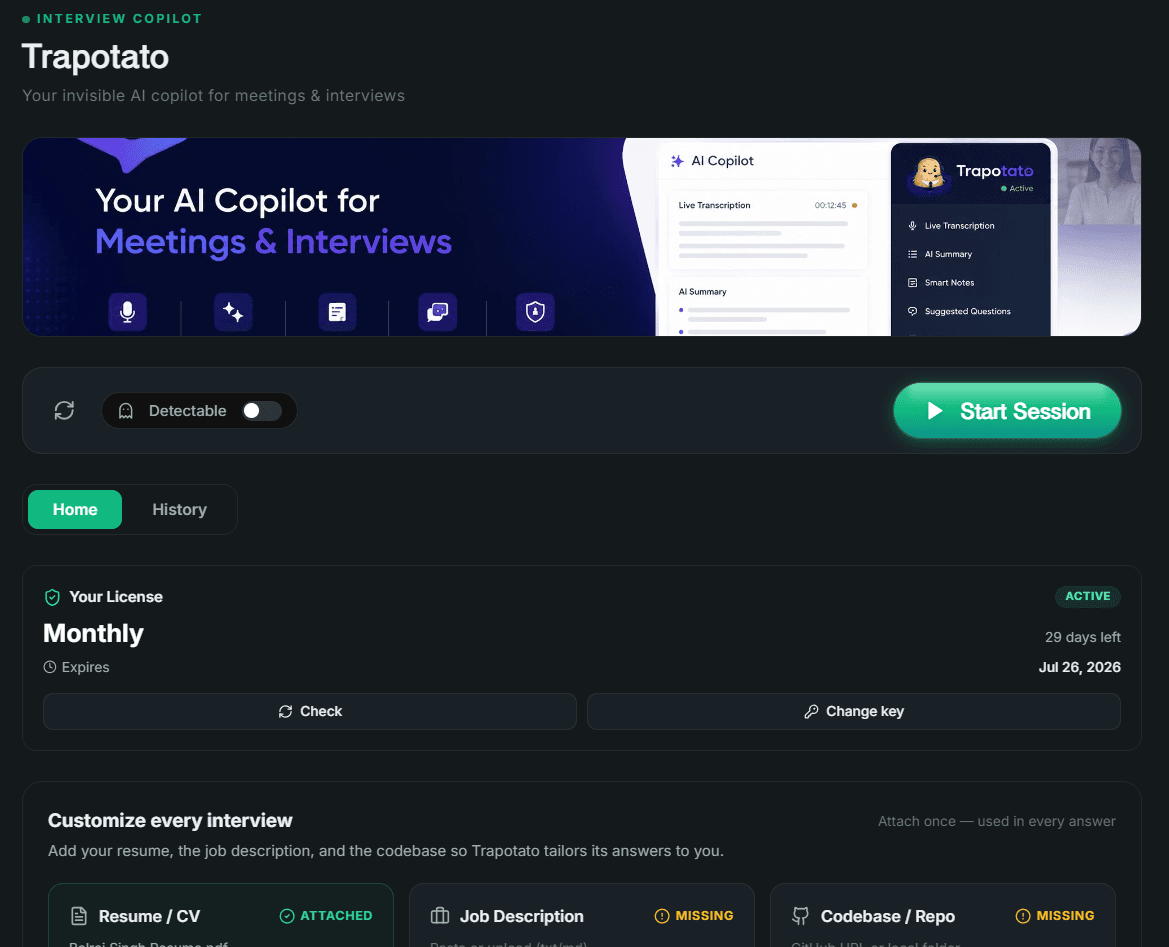
Run the Windows installer and enter your product key. New accounts get a 10-minute free trial automatically.
Add your keys
Drop your own AI and transcription keys into Settings. They are saved locally and never leave your device.
Press Ctrl+B
Summon the invisible overlay during any call. It stays hidden from the taskbar, tray, and screen share.
Get answers live
It listens, transcribes, and feeds you the perfect response, code hint, or clarification in real time.
Simple subscription. Pay the team directly.
Start with a 10-minute free trial. To subscribe, pick a plan and contact the team — we'll share payment details and activate your product key.
- Every AI + transcription provider
- Stealth overlay & global shortcuts
- Live transcription & AI answers
- Screen capture + analysis
- Local history, notes & summaries
- One active device at a time
- Every AI + transcription provider
- Stealth overlay & global shortcuts
- Live transcription & AI answers
- Screen capture + analysis
- Local history, notes & summaries
- One active device at a time
- Every AI + transcription provider
- Stealth overlay & global shortcuts
- Live transcription & AI answers
- Screen capture + analysis
- Local history, notes & summaries
- One active device at a time
One product key = one active device. Moving machines? Contact support for an activation reset.
Be the sharpest person on the call.
10-minute free trial included. Windows 10/11 build available — macOS coming soon.